When a spreadsheet is enough
Excel is a good option if almost all of these conditions apply:
- Few spaces: as a guide, fewer than about 10 or 15.
- A fixed space per person, with no daily booking. The sheet is a list of who has what.
- Few changes: assignments are touched only a few times a year.
- A single site and one person who maintains the file.
- More spaces than people who need them, so conflicts almost never happen.
In that scenario, setting up a new tool is more work than maintaining the sheet. Do not switch for the sake of it.
Where a spreadsheet falls short
The problems appear when parking stops being a fixed list and becomes a resource shared out every day:
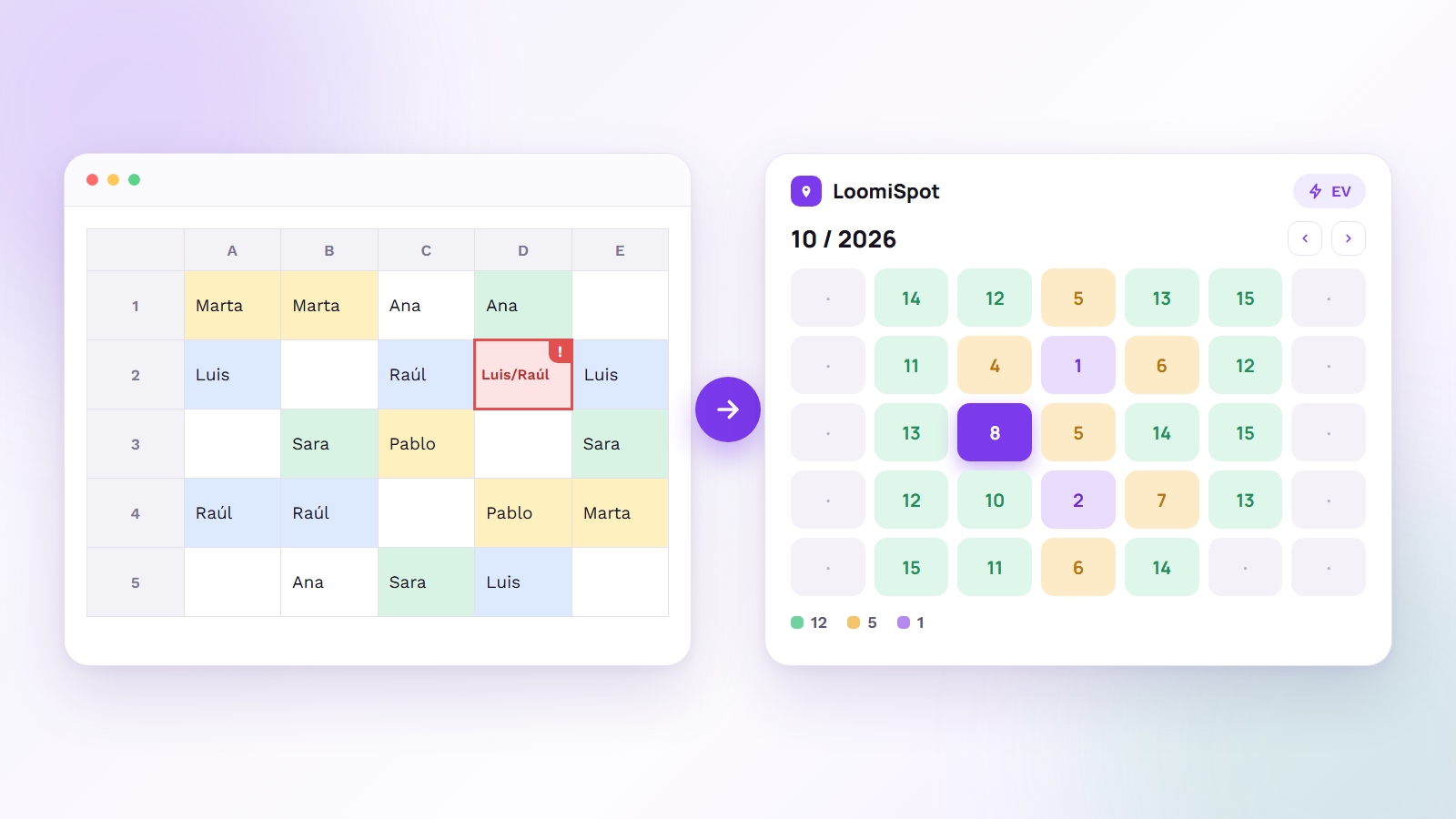
- Double bookings. If two people write their name against the same space at the same time, nobody notices until both arrive. Google Sheets reduces the risk of crossed versions but does not prevent the conflict.
- It does not free up spaces. A space with a name against it that nobody uses stays occupied in the sheet until someone deletes it.
- It does not enforce rules. Nothing stops anyone booking a month ahead, grabbing the whole week or skipping the priority order.
- It is awkward on a phone. Booking a space before leaving home means opening a file and finding a cell.
- There is no clear view. Answering «is there room tomorrow?» means reading the sheet or asking whoever maintains it.
- It produces no data. Without an occupancy history you do not know your peak day or whether you need more spaces.
- It depends on one person. If that person goes on holiday, the system stops.
A starter template for a spreadsheet
If you are going to use a spreadsheet, at least make it clear. A simple structure, one tab per week:
| Space | Type | Fixed owner | Mon | Tue | Wed | Thu | Fri |
|---|---|---|---|---|---|---|---|
| A-01 | Standard | Marta | Marta | Marta | Marta | Marta | Marta |
| A-02 | Standard | Shared | Luis | (free) | Raúl | Luis | (free) |
| E-01 | Electric | Shared | Sara | Pablo | Sara | (free) | Pablo |
A few tips to keep it under control:
- One person in charge and nobody else with edit permission. Everyone else gets read-only access.
- A simple colour code: free, booked, fixed, blocked.
- A rules tab with the usage rules in plain view.
- Save each week instead of overwriting it, so you keep an occupancy history.
The real cost of Excel: your time
A spreadsheet costs nothing, but the time of whoever maintains it does. An example with figures you can replace with your own: if someone spends 2 hours a week updating bookings, resolving conflicts and answering messages, that is about 96 hours a year (over 48 weeks). At an internal cost of €25 an hour, that is €2,400 a year of work that is not their real job.
On top of that comes what is hard to measure: interruptions, arguments over a space and the frustration of people circling the car park looking for a spot. Compare that cost with the price of a tool before you decide. Some, like LoomiSpot, have a free plan for small car parks.
7 signs it is time to switch
- There are more people than spaces on peak days.
- There have already been double bookings or two cars in the same space.
- Whoever maintains the sheet spends more than an hour a week managing it.
- People message to ask whether there is room, instead of checking for themselves.
- You have several sites or floors and one sheet for each.
- You want to share EV chargers by time slot, which a spreadsheet handles badly.
- You need occupancy data to decide how many spaces you really need.
With two or three of these signs, it is already worth trying a tool. With five or more, you are paying the cost of not doing it.
How to move from the sheet to software without pain
- Export your list of spaces, types and fixed owners from the current sheet.
- Define the rules before configuring anything: booking window, cancellation and priorities.
- Run a pilot of two weeks with one team or one site.
- Announce the change and leave the sheet read-only so there are not two sources of truth.
- Review occupancy after a month and adjust the rules with real data.
How to do it with LoomiSpot
LoomiSpot is office parking management software. This is what it replaces from a spreadsheet:
- The spaces and their map: you draw each floor with the visual editor and mark the electric, accessible or outdoor spaces.
- The assignments: a space to a person on specific days, or first come, first served.
- The booking window: you decide how many days ahead people can book.
- The occupancy view: a monthly calendar heatmap shows how many spaces are booked and how many are free each day.
- Multiple offices, each with its own spaces and weekly schedule.
- EV chargers by time slot, with a start time and a duration.
- Issue reporting from the app: whoever spots a problem reports it and follows its status.
- Web, iOS and Android, with the same interface for admins and employees.
The free plan allows up to 10 spaces and 15 users, so you can run the pilot at no cost.
Frequently asked questions
Can you manage company parking with Excel?
Yes, as long as there are few spaces, a fixed space per person and few changes. It stops working well when there are more people than spaces, when bookings change daily, or when the car park has several sites or shared EV chargers.
How many spaces can you manage with a spreadsheet?
As a guide, up to about 10 or 15 spaces with almost fixed assignments. Beyond that, or with daily booking, maintenance and conflicts grow faster than the number of spaces.
Does Google Sheets solve Excel's problems?
Partly. It lets several people edit at once and avoids crossed versions, but it still does not prevent double bookings, free up spaces, enforce usage rules or give a convenient view on a phone.
How much does parking management software cost?
It depends on the product and the size of the car park. LoomiSpot has a free plan for up to 10 spaces and 15 users, and paid plans for larger car parks; check the current prices on the website. Compare the price with the time the person who maintains the sheet spends on it today.
How do you move from a spreadsheet to parking software without losing data?
Export the list of spaces and owners, define the rules before configuring anything, run a two-week pilot with one team and make the sheet read-only once real use starts. That way there are not two sources of truth.
What occupancy data is worth measuring?
The peak day of the week, the average percentage of spaces occupied, how many bookings are cancelled or unused, and how many people are left without a space. With that you can decide whether you need more spaces or should share out the ones you have better.